Focused report modes
Open Price Chart, Comparison, Stochastic Risk, AI Analysis, or Bayesian BNN as separate reports, each with its own HTML export.
A private macOS workspace with separate reports for charts, comparisons, on-demand stochastic risk, Bayesian uncertainty, and deterministically verified AI analysis.
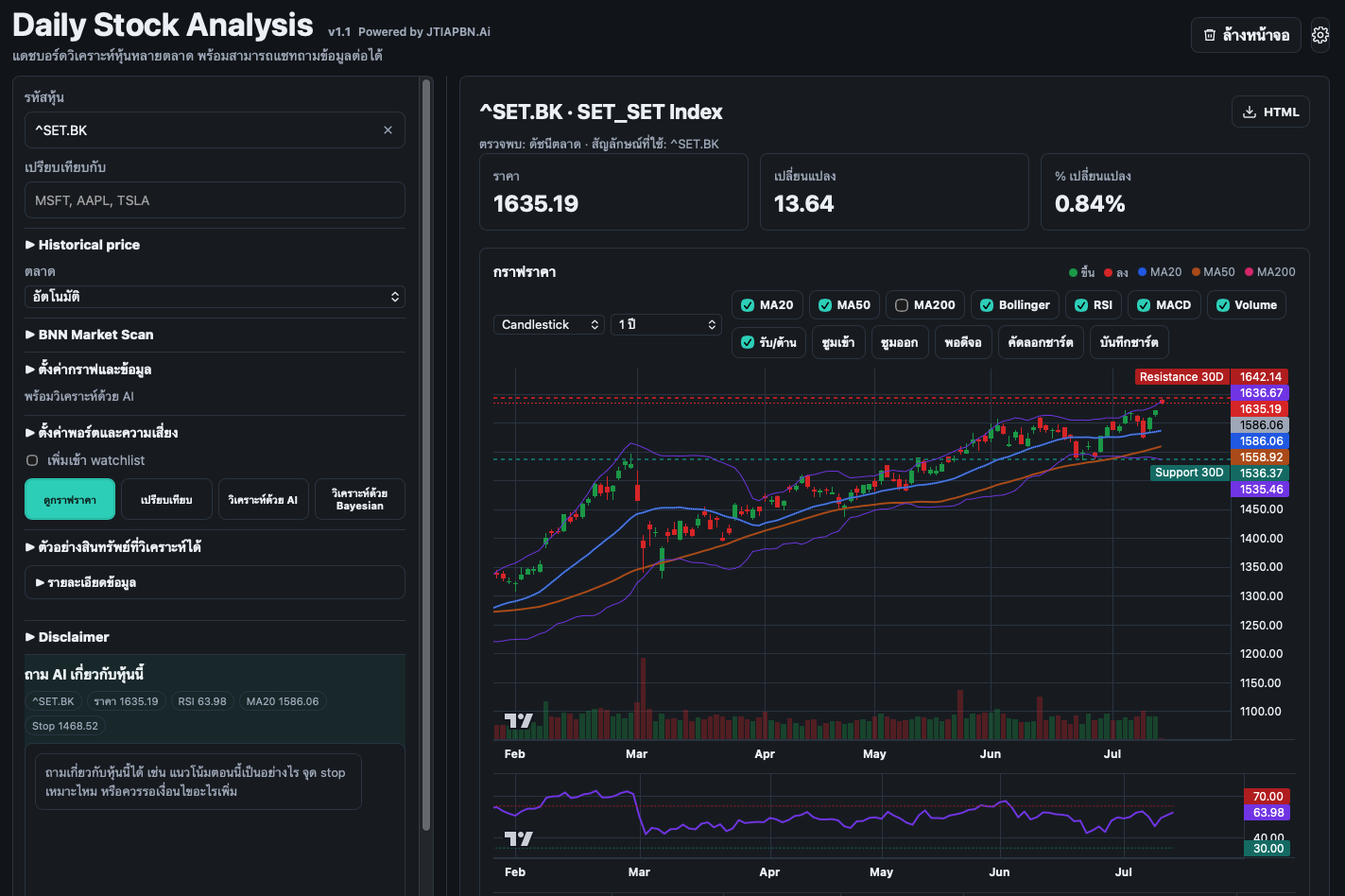
Designed to move from market observation to a risk-aware decision without hiding uncertainty behind a single score.
Open Price Chart, Comparison, Stochastic Risk, AI Analysis, or Bayesian BNN as separate reports, each with its own HTML export.
Ask follow-up questions about everything visible in the current report, including charts, comparisons, AI analysis, Bayesian results, stochastic risk, market scans, pairs trading, and selection research.
Turn account size and risk budget into a practical position-size and stop framework, with Thai board-lot handling built in.
Run Stochastic Risk only when needed, or use Bayesian analysis with walk-forward validation, calibration checks, forecast ranges, and automatic abstention when evidence is weak.
Validate historical data, test point-in-time selection rules against TDEX, review sensitivity variants, and inspect current holdings without changing the portfolio.
Markets are uncertain, so the app separates calculation from explanation. Bayesian forecasts are validated through time, while SET50 selection rules are tested with point-in-time membership, transaction costs, benchmark comparison, and sensitivity checks before any conclusion is considered.
Research guides the method. Real market data still has to prove the result.
Bayesian methods produce a distribution of possible outcomes. The app shows that uncertainty instead of hiding it behind a single target price.
Forecasts are checked chronologically against unseen data, simple baselines, error metrics, and interval calibration—not judged by how persuasive they sound.
When validation is weak or uncertainty does not behave reliably, the Bayesian workflow abstains instead of manufacturing conviction.
SET50 Selection Research checks data readiness first, uses historical membership and lagged annual statements, compares Track B with TDEX, tests alternative assumptions, and reviews current holdings. Results remain research evidence—not proof of alpha or an instruction to trade.
This installer is built for modern Macs with Apple chips. Intel Macs are not supported by this release.
No Python setup or Terminal commands. Everything needed to run the app is bundled inside.
Double-click the downloaded disk image.
Move Daily Stock Analysis into the Applications folder.
Use Open from the shortcut menu the first time.
Open System Settings → Privacy & Security, then choose Open Anyway and confirm.
Gemini is optional and only needed for AI reports and chat.
This independent build is ad-hoc signed and not notarized. On first launch, macOS may require System Settings → Privacy & Security → Open Anyway. Only install the DMG from this official website or GitHub release and verify its checksum.
Bring charts, comparisons, uncertainty, risk planning, and selection research into one private workspace on your Mac.
Download version 1.3.3 ↓14 Sep 2026 separate-report update · Apple Silicon only · Educational use · Not investment advice